Tower Dash / Canada
How to play
- 01
Check the game identity
Look for Tower Dash by INOUT. Other apps share the name; their controls, rewards and account systems do not describe this game.
- 02
Set stake and difficulty
Use BET and DIFFICULTY before starting. The provider specifies three levels. Read the selected level rather than assuming the default suits your budget.
- 03
Time the drop
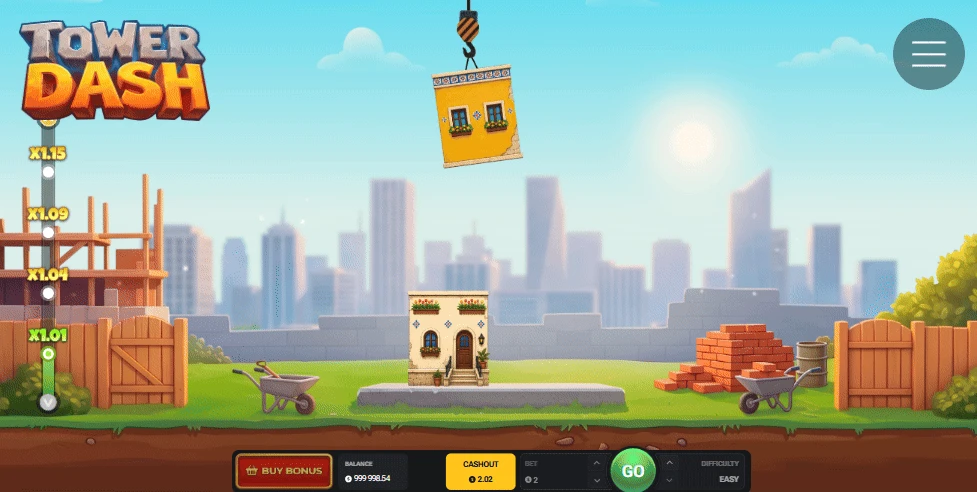
You choose when the crane releases each block. Successful construction increases the multiplier. Visual timing alone does not establish a way to beat the game.
- 04
Review the feature before buying
Touch the Skies! and Build Your City! change the session in different ways. Read price and confirmation, and separate the feature cost from the ordinary stake.
Compare the two entry costs
The official screenshot shows a 2 USD stake: Touch the Skies! costs 100 USD (50 times the stake), while Build Your City! costs 200 USD (100 times). Those are entry prices, not promised returns. Check your live quote and currency; this promotional USD example is not a CAD offer.
Payouts and strategies → · Modes and features →
Frequently asked questions
Is Tower Dash the same as Tower Rush?
No. This guide covers Tower Dash by INOUT. Do not apply another game’s rules, RTP or demo results to it.
Is the Canadian operator listing enough for Ontario?
No. A Canadian-language lobby does not establish Ontario authorization. Check the iGaming Ontario directory for the actual operator.
Does a dollar sign mean CAD?
Not necessarily. Inspect the currency code in the game and account before comparing stakes or conversion costs.
Explore available options
Affiliate link: we may earn a commission. The destination can vary; confirm game availability before depositing.